Search This Blog

Showing posts with label Badge Wall. Show all posts

Tuesday, May 2, 2017

#Fakenews, Print Friendly, + Badgewall update.


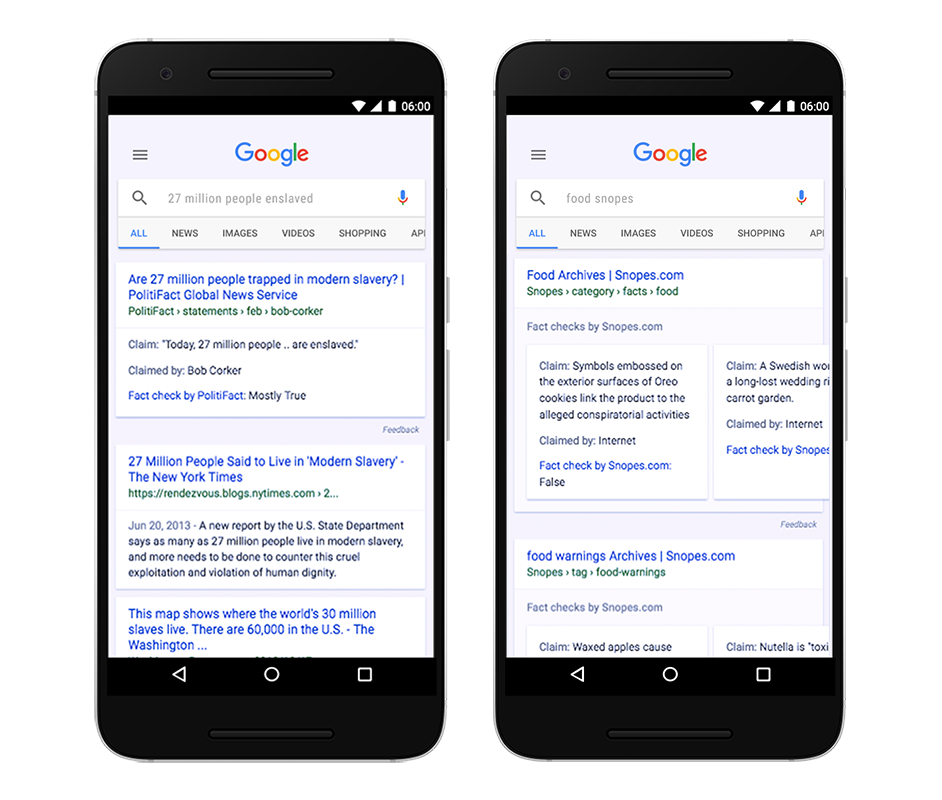
The 24 hours news cycle creates a seemingly insurmountable amount of content for students and teachers to navigate through.  Unfortunately, not all of it is factual or true, making it hard for readers to distinguish fact from fiction. To empower our students against #fakenews, Google has created Fact Check to supplement the already powerful Google Search.

FactCheck_Apr7.png
...when you conduct a search on Google that returns an authoritative result containing fact checks for one or more public claims, you will see that information clearly on the search results page. The snippet will display information on the claim, who made the claim, and the fact check of that particular claim.
Fact Check is not available for every search result. If a fact check made by a publisher meets certain requirements, Google automatically shows a summary of that fact check. In order for a search result to have a fact check, it requires: 
  1. The publisher of the fact check must be a trusted source of information (determined by an algorithm)
  2. The content must clearly tell you which claims are being checked, conclusions about the claims, how conclusions were reached & citations and primary sources of information
It is Google's position that even though differing conclusions may be presented, they still think it’s helpful for people to understand the degree of consensus around a particular claim and have clear information on which sources agree. As Google makes fact checks more visible within search results, they believe people will have an easier time reviewing and assessing the validity of the search results and making their own informed opinions. Keep in mind that Google does not endorse any of these fact checks.

To find out more about this new feature, visit the Help Center. 


Image result for print friendly

Print Friendly and PDF removes ads, navigation, and junk before your print. Optimize any webpage for the ultimate print or reading experience and save on paper and ink when you print with Print Friendly.

Print Friendly and PDF boast two primary features
  1. Edit Before Printing: Click-to-delete any content before printing, remove images or individual images, or change the text size from larger to smaller.
  2. Print or Save as PDF: Generate PDFs for archiving, sharing, or saving. PDFs include clickable links, and source URL so you can continue to interact with the content.
Click here for "Print Friendly & PDF": 


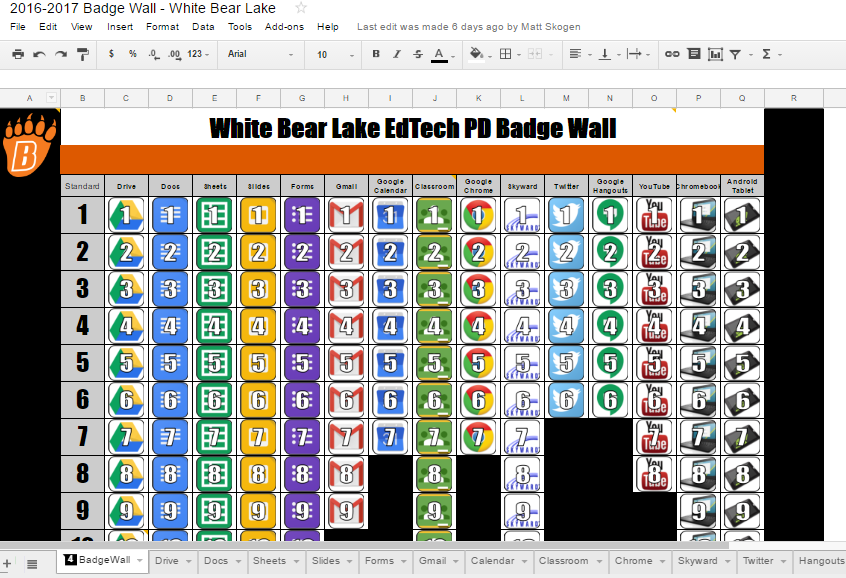
Our self-guided EdTech Badge Wall Challenge has been a tremendous success. Over 75 teachers from our district have invested time into building their G Suite Competency! The cut-off to earn up to 15 PD hours is May 17, but the actual Badge Wall will continue to be available going forward. For more information on the White Bear Lake Badge Wall Challange, see this blog post.

Tuesday, February 21, 2017

Better Design with Adobe Spark + White Bear Lake EdTech Badge Wall Reminder

Great design in seconds with Adobe Spark

Great design matters! The resources and materials that we create can have impact on our audience's mood and attitude towards the topic we are presenting. Often times formatting and design is overlooked because of how much extra time it can take. With Adobe Spark you can create great graphics, web stories and animated videos in a few simple steps. Use their style guide and image library to easily create communications for your students and parents. 


Trying using the 'Post' to create a simple poster for your classroom or office. This could also be used to design a nice looking images to be used in your next Google Slides presentation. 

'Pages' could be used to create a photo journal of your next big class project or to create digital portfolios of work. 

The 'videos' can be used in place of slides to create visually appealing presentations or lessons. 

Visit spark.adobe.com to get started

White Bear Lake EdTech Badge Wall 

It is great to see so many people signing up in Google Classroom and getting going with their learning! If you have started, tell others in your building about how it is going. You may even consider challenging them to a friendly competition.

We are providing this self-paced PD opportunity as a way to develop a baseline set of tech skills using the tools that are common in White Bear Lake schools. The Badge Wall is also designed to give credit to those who have already spent time developing their skills as you can check off items that you already know how to do. There are 15 total PD hours available. Follow the directions below to get started.

  1. Join Google Classroom using the code 27v8eib
  2. Click “Open” on the White Bear Lake EdTech Badge Wall assignment to get your own copy of the digital badge wall.
  1. Click on one of the tools along the bottom of the digital badge wall. Work through the challenges at your own pace. There are links to videos that will explain how to do each task. When you complete a task, put an “X” in the “Check off with an X” column to earn your badge. If you already know how to do a task, skip the tutorials and mark it with an “X”.
  2. Click the “Turn In” button when you have completed each challenge by Wednesday, May 17th, 2017.

WHAT IS YOUR WHY?

  • You will be able to impress your colleagues and your students with your tech skills.
  • PD hours will be available. One hour of PD will be given for each tool (column). You must register on PD express for each tool (column). You do not need to complete all 15 columns (15 hours) to earn hours for individual tools (columns).

  • You will receive a fantastic completion sticker and corresponding digital email signature badge when your whole wall is complete. You will also receive a digital certificate to display proudly in your classroom.